
As a company grows, people join and leave more often than whoever looks after IT can keep in their head. A laptop is ordered late, a new starter waits days for access, or a leaver’s account stays active for months. None of this is hard to fix. It needs a written routine with one named owner for each step.
This IT onboarding checklist, and the offboarding checklist that mirrors it, is written for owners, HR and operations managers as well as IT staff. It covers employees and contractors who join or leave your company; if you are looking at how a provider takes over your support, see our help desk support guide instead. It is general information, not legal advice.
Why a written routine beats memory
Joining and leaving look like HR events, but each one is a set of IT changes: accounts, devices, licences, permissions and data. When the steps live in one person’s head, quality depends on who is available that week. Three problems keep coming back:
- Late starts. The new person cannot sign in, and the manager’s first week goes on chasing access.
- Leftover access. The leaver’s accounts keep working because IT heard about the date too late, or not at all.
- Lost knowledge. Files, mailbox content and vendor logins sit in one person’s account and vanish when it is removed.
A short checklist, kept in one place and reviewed once a year, covers all three. The UK National Cyber Security Centre advises that account management should include a "joiners, movers and leavers" policy, so access can be revoked when it is no longer needed or changed when someone moves role (see its identity and access management guidance).
Who owns each step: HR, the manager and IT
Every line needs one owner. A simple split works for many companies of this size:
- HR (or the company owner, if there is no HR) starts the process, confirms dates, role and contract type, and tells IT early.
- The line manager decides which access and equipment the role needs, approves it, and takes over the leaver’s work, files and shared accounts.
- IT, in-house or external, creates and removes accounts, prepares and collects devices, applies licences and security settings, and records what was done.
Where an external provider handles IT, name one person on your side who can approve changes. If you share the work between your own team and a provider, our guide to co-managed IT vs managed IT vs break-fix shows how tasks can be divided.
Onboarding checklist: before day one and the first week
Before day one
- HR. Send IT the start date, role, location, manager and contract type (employee, contractor, temporary), ideally a week ahead.
- Manager. List the applications, shared folders, mailboxes and groups the role needs. Base it on the role, not on a copy of a colleague’s access.
- IT. Prepare the device with encryption, updates and endpoint protection, and record its serial number against the person.
- IT. Create the account and mailbox, assign licences, and add the person only to the agreed groups.
- IT. Prepare multi-factor authentication (MFA) so the person can set it up on day one, with a short written guide. New accounts are where MFA for a small business is either enforced or quietly skipped.
Day one and the first week
- IT. Hand over the device and walk through sign-in, MFA, the password manager if you use one, and how to ask for IT help and during which hours.
- Manager. Check that each application on the list works, and report anything missing the same day.
- HR. Share the acceptable-use or security policy and the data-handling basics for the role, and keep a record that the person has read them. If the role uses AI tools, our AI use policy guide for small business covers what to add.
- IT. Confirm that the device reports to your management and update tools and that backups or file sync are running.
- Manager. At the end of week one, review access. Too little shows quickly; too much rarely does, so ask what can be removed.
- IT. Record the final list of accounts, licences and equipment in your inventory. Our IT documentation guide shows what else to keep.
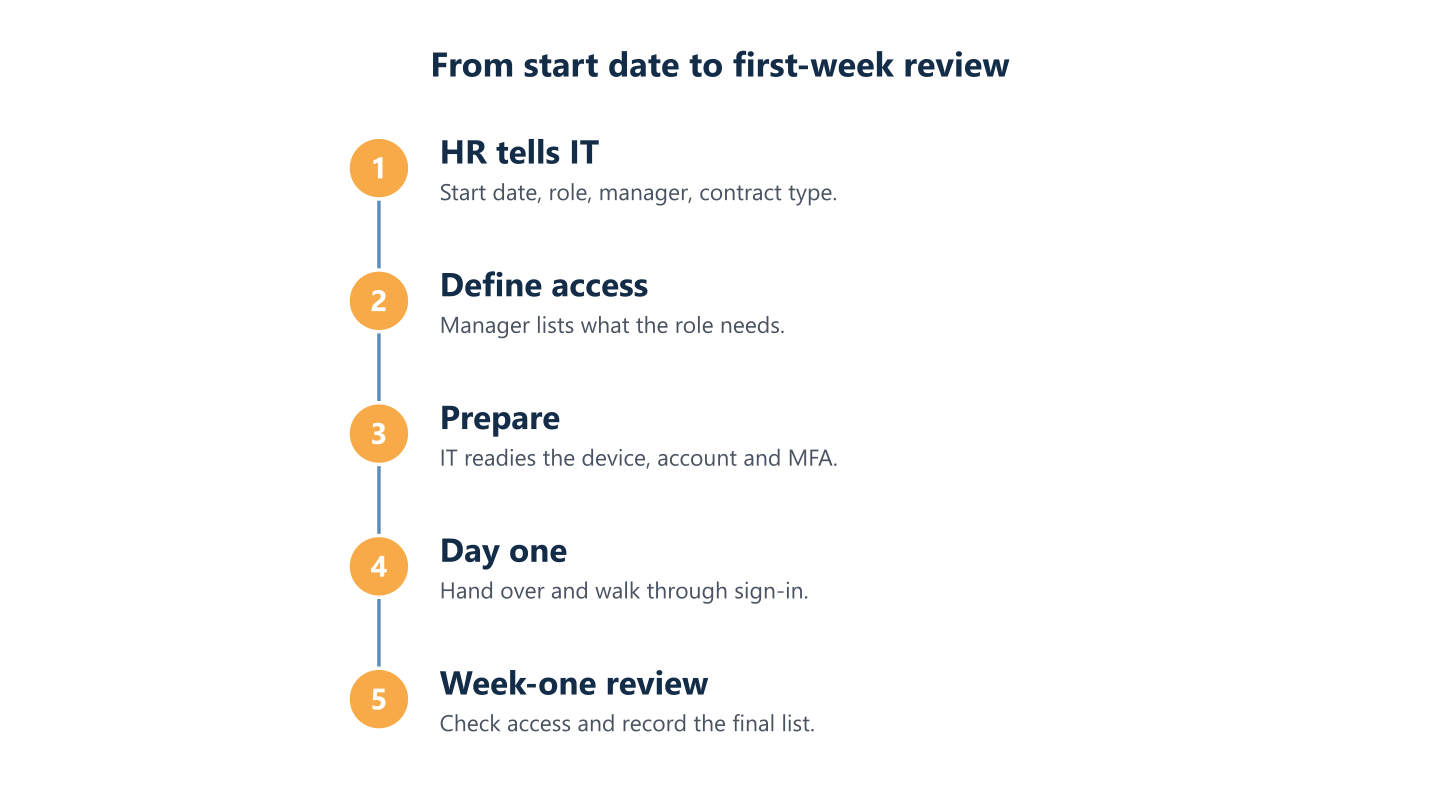
Read the steps as text
HR informs IT, the manager lists access, IT prepares the device and account, day-one handover, first-week access review
Offboarding checklist: the last day and after leaving
Start from the notice date, not the last day. If a departure is sudden or sensitive, HR and management may decide that access ends immediately, and IT should be able to act the same day.
Before the last day
- HR. Tell IT the exact leaving date and time, and whether any retention requirement applies.
- Manager. Decide in writing who takes over the mailbox, files, calendar, customer contacts and shared accounts.
- IT. List everything the person has: accounts, groups, licences, devices, MFA methods and vendor portals, including shared logins they know.
- Manager. Ask the person to hand over work files and shared-account details, and to move anything kept in personal storage.
On the last day
- IT. Block sign-in at the agreed time, end active sessions and change the passwords of shared accounts the person knew.
- IT. Remove the MFA methods registered to the account, such as authenticator apps, phone numbers and security keys.
- IT. Collect the laptop, phone, badge and keys, and remove company data from any personal device used for work. For door badges, see our door access badge routine.
- Manager. Set an automatic reply or forwarding for an agreed period, naming the new contact.
- HR. Confirm to IT that the exit is complete.
In the weeks after
- IT. Keep the blocked account for the period you agreed, then remove the licence and delete the account only once the manager confirms the handover.
- IT. Reset returned devices, update the inventory and reassign them.
- IT. Check admin consoles, billing contacts and software accounts where the person had a role, and replace them with a named successor.
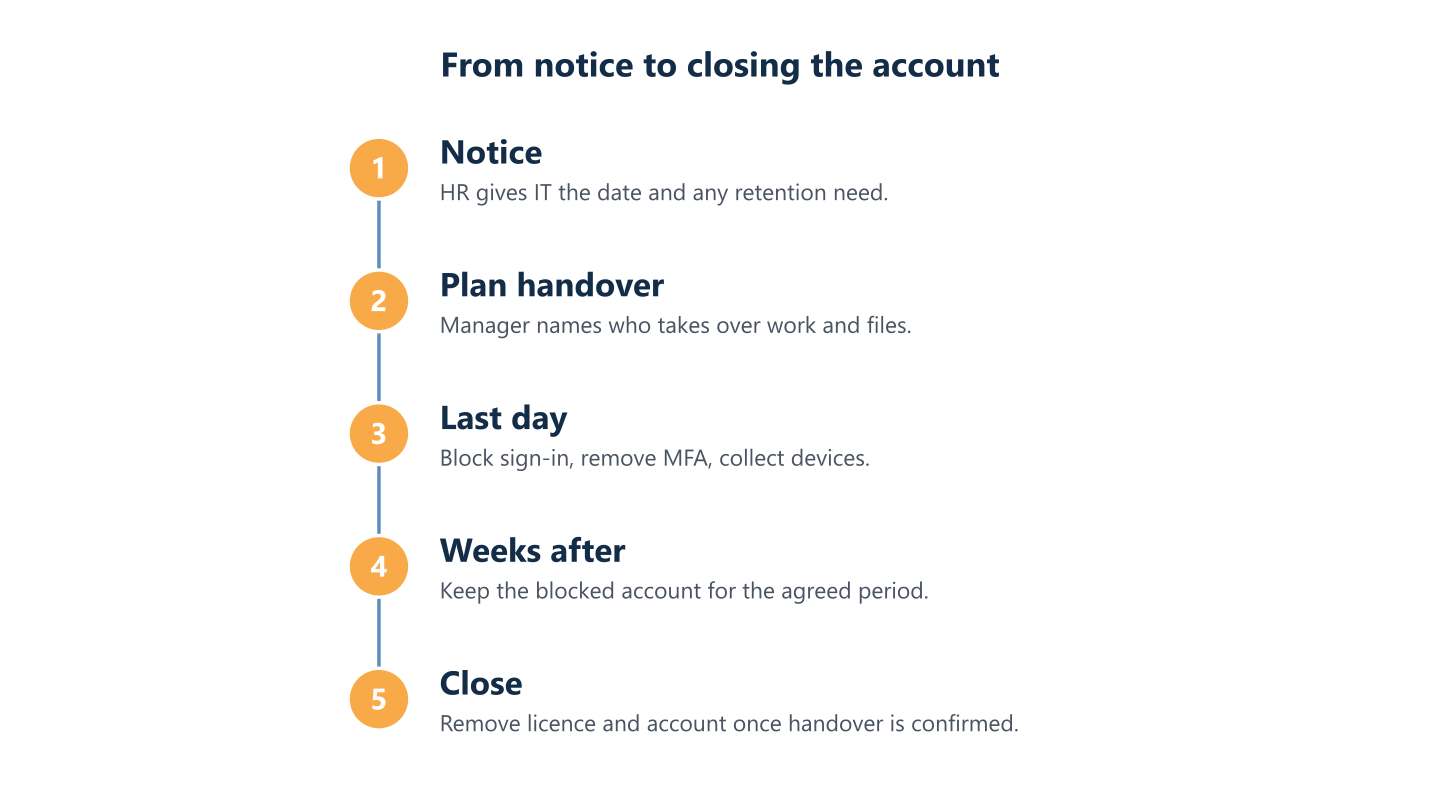
Read the steps as text
Notice and retention needs, handover plan, last-day access removal, blocked account kept for an agreed period, account closed
What to disable, transfer or keep
Use this table on the last day. The right retention period for each item depends on your business and local rules, so agree it in advance with HR and your adviser.
| Item | Disable | Transfer | Keep |
|---|---|---|---|
| Mailbox | Sign-in, on the last day | Delegate access, or convert to a shared mailbox for the successor | Content for the agreed period; do not delete the account before this is decided |
| Files | Sync and external sharing links | Ownership to the manager or a team space | Files needed for clients, finance or legal reasons |
| Devices | Sign-in, VPN and remote access | Reassign after a reset | Serial number and handover record |
| Shared accounts | Passwords the person knew | Ownership to a named person | A note of who holds each login |
| MFA methods | All methods registered to the leaver | Nothing; the successor sets up their own | A log of the date removed |
| Licences | Remove once the data decision is made | Reassign to the next user | A licence where mailbox content must be preserved (check current licensing documentation) |
| Vendor portals and admin roles | The person’s login and access tokens | Admin and billing contact role to a named successor | An up-to-date contact for renewals and alerts |
Order matters. Microsoft’s guidance on removing a former employee notes that deleted accounts and removed licences keep some content for a limited time only (check the current Microsoft documentation for the period), so settle mailbox and file ownership first. Converting a mailbox is described in its page on shared mailboxes. If you use Microsoft 365, keep these steps on your Microsoft 365 security checklist, next to MFA and admin roles.
Movers: the step people forget
A promotion, a transfer to another team or a move from contractor to employee changes what a person should reach. Without a trigger, access only accumulates. Treat a role change as a small offboarding plus a small onboarding: the manager lists what the new role needs, IT removes what the old one needed, and the change is recorded. Review administrator rights separately.
Common gaps
These are common patterns in small and midsize companies, not statistics, and every company differs. The same items tend to appear on a cyber security checklist for small business.
- The process starts on the last day, not at notice, so there is no time to plan the handover.
- Contractors and temporary staff are missing from the HR system, so nothing triggers their removal.
- Shared logins, domain and cloud admin accounts are not on the leaver list because nobody remembers them.
- A blocked account still has sessions or saved sign-ins on devices until they are revoked.
- Licences stay assigned to accounts nobody uses, and the company keeps paying for them.
- The mailbox is deleted before the successor has read it.
- Devices are returned but not recorded, so they cannot be traced later.
Data-handling points to settle with HR
Joiners and leavers involve personal data, so these points are worth agreeing in writing. They are practical suggestions, not legal advice, and you should confirm retention periods and the handling of employee mailboxes with your data protection officer or legal counsel.
- Access removal. Give people only the access the role needs, and end it promptly. Many organisations see this as supporting GDPR’s data-minimisation and security principles; confirm with your data protection officer.
- Retention. Decide how long a leaver’s mailbox and files are kept, who may open them and what happens when the period ends.
- Devices. Record what was returned and when, and reset devices before reuse.
- Personal use. Say what the policy allows on company devices, and what happens to personal files on return.
How BlueNova IT can help
BlueNova IT is based in Tallinn, with support in English and Spanish, Monday to Friday, 09:00-18:00 CET. As part of our managed IT services or IT outsourcing, Depending on the scope agreed, we can help you document these steps and support the IT side of joiners, movers and leavers. Cybersecurity support can cover access questions like these, as agreed per organisation.
Scope is agreed with each organisation, and we do not promise response times or outcomes in advance. To discuss your situation, contact us.
Related: managed IT services, IT outsourcing, cybersecurity services, Help desk support guide, Backup and recovery guide.