
IT documentation for a small business is a short, current set of records: your systems, accounts, devices and suppliers, plus the routines that keep them running. Keep it in a space your organisation can always reach, and make sure the organisation, not whoever wrote it, owns it.
Documentation is often missing for ordinary reasons: the knowledge sits in one person’s head, in an installer’s files or inside a provider’s tool. This guide covers what to write down, where to keep it, who should own it and how to stop it going stale. It is general guidance: scope and arrangements with any provider are agreed with each organisation.
Questions about this guide? Talk it through with us
What IT documentation is for, and when you will need it
Documentation earns its keep on the day someone other than the author has to act. That day comes, sooner or later, for every company:
- A new IT provider or IT lead takes over.
- The employee who understood a system leaves or is on leave.
- An incident needs a fast answer to "what depends on what".
- A customer, insurer or auditor asks how your IT is run.
- The company opens a new site or moves premises.
Documentation, credentials and data are different things
Documentation says what exists and who is responsible for it. Credentials open things, and they belong in a password manager protected by multi-factor authentication. Data, such as files and mailboxes, is protected by backup. Mixing the three creates risk: a document full of passwords is a target, and a document that names no holder helps nobody. Keep each in its own place and let the documentation point to the others.
Write for a capable stranger
The reader you are writing for is a competent person who has never seen your setup: a new colleague, an outside engineer, an auditor. Use full names for systems, say where each thing lives and avoid shorthand such as "the usual server" or "ask whoever set it up". If a record only makes sense to its author, it will fail on the day it is needed.
What to keep: the short list
A useful set is shorter than most people expect. Six records cover most of what a small company needs, and each answers a question someone will ask under pressure.
| Record | What it says | Typical owner and deputy | Update it when |
|---|---|---|---|
| Systems and applications | What each system is for, who depends on it, where it runs and who administers it | Business owner of each system; deputy: IT lead | A system is added, replaced or retired |
| Accounts and administrators | Who holds each administrator account, domain registration and cloud tenant, and where emergency access is kept (never the passwords) | Owner or managing director; deputy: IT lead | Someone joins, leaves or changes role |
| Devices | Each laptop, phone and network device, with user, model, age and support status | IT lead; deputy: the provider | Continuously, from the inventory |
| Network and sites | Sites, internet lines, the equipment that connects them and who supplies each part | IT lead; deputy: the provider | A line, supplier or key device changes |
| Suppliers and renewals | Who provides what, support contacts, contract end dates and renewal dates for licences and domains | Finance or office manager; deputy: IT lead | A contract changes, and before each renewal |
| Routines and recovery | Joiner and leaver steps, backup checks and a one-page recovery plan | IT lead; deputy: office manager | After each test and after major changes |
A company with two sites and one cloud tenant will fill each row in a few lines; a larger one will add detail where the risk is highest.
Systems and applications
List every system the business relies on: line-of-business applications, accounting, email and file storage, the website and anything a supplier hosts for you. For each, write what it is for, who uses it, who is responsible for it, where it runs and what it depends on, such as the internet connection or the sign-in service. The dependencies are the part people forget, and the part an engineer needs first when something stops.
Accounts, administrators and registrations
Record who holds each administrator account and in whose name every registration is held: the domain name, the DNS host, your Microsoft 365 or Google tenant, the internet account with the operator and any cloud subscription. The key question is "in whose name", because an account held by an installer or a former employee is a problem waiting for a bad day. Administration accounts should belong to the organisation. Our Microsoft 365 security baseline checklist covers how to review them.
Also record where emergency access is kept and who may use it, without writing down the credentials. Microsoft’s guidance for Entra ID recommends two or more emergency access accounts so that one mistake does not lock you out of your own organisation.
Devices and the inventory
An inventory typed into a spreadsheet drifts as people change laptops and leave. One collected from the devices themselves, for example through a remote monitoring and management (RMM) agent installed on each device, stays closer to the truth. Whatever the method, someone should be able to say which devices exist, who has them and whether they are still supported. The UK National Cyber Security Centre’s asset management guidance makes the same point: know what you manage, and know when it will stop being supported, so replacements can be planned. The CIS Controls start with an inventory of enterprise assets, as Control 1.
Network, sites, suppliers and renewals
For each site, note the internet line and its supplier, the main network equipment and how the site connects to the others. Keep the handover documents from every installation project with the rest, rather than in the installer’s files. Then add a renewals calendar covering domains, certificates, licences and support contracts. A lapsed domain registration is an avoidable outage, and it is more likely when nobody owns the renewal date.
Routines and recovery
Some documentation describes what people do rather than what exists. Joiner and leaver steps belong here, and our IT onboarding and offboarding checklist gives a starting point. So does a recovery plan: the one-page disaster recovery plan guide shows what to put on it. Keep them short, give each an owner and link to them from the main set.
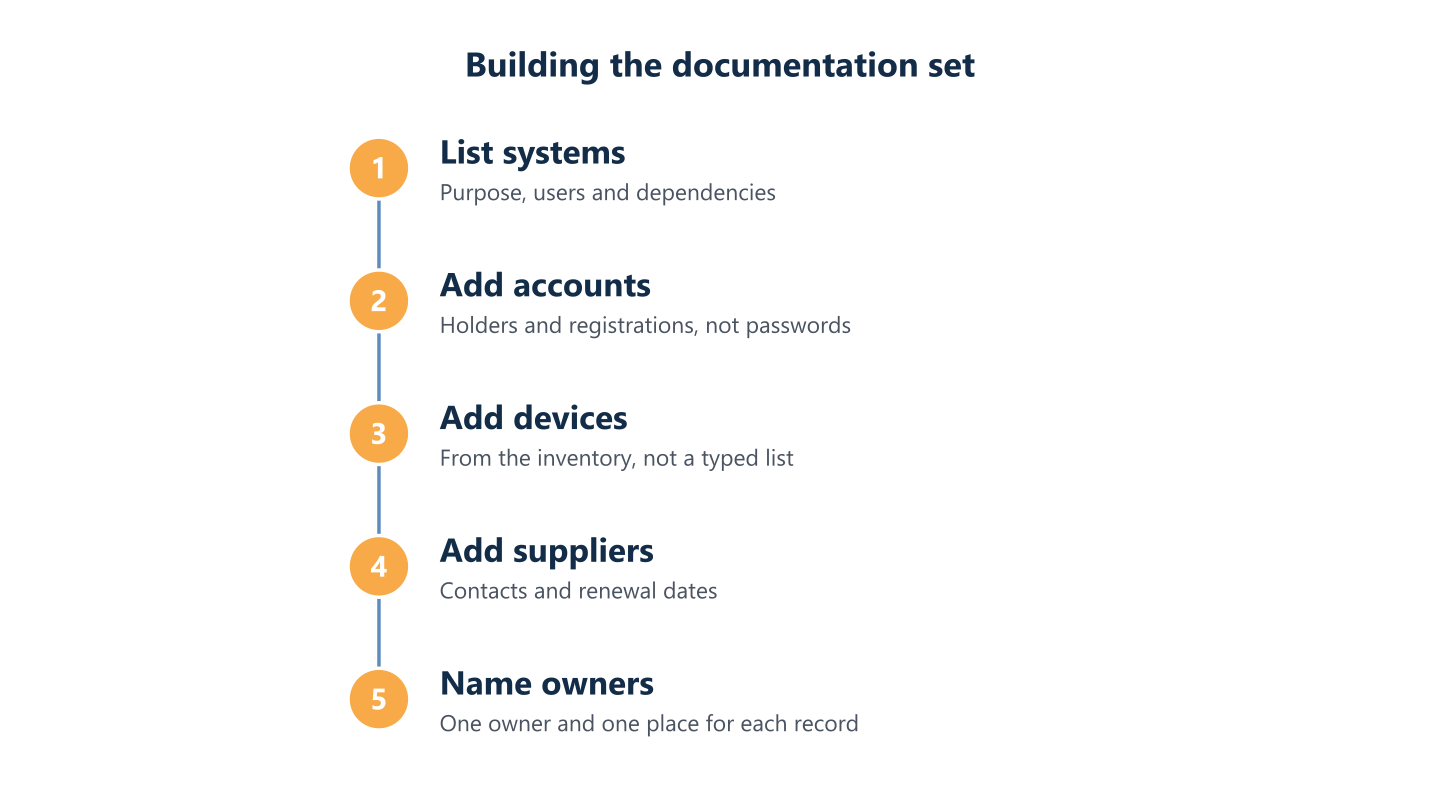
Read the steps as text
List systems, add accounts and holders, devices from the inventory, suppliers and renewals, then name an owner
Where to keep it: a space the organisation can always reach
Which product you use matters less than who controls it and whether you can open it on a bad day. Check any candidate against these points:
- The organisation controls the account and can grant and remove access.
- It can be reached when a laptop, the office network or a provider is unavailable.
- Permissions allow sensitive records to be read by few people.
- Version history shows what changed and when.
- A copy exists outside the systems the documentation describes.
- It is simple enough that people actually update it.
Who may read what
Not every record is for everyone. How-to notes can be open to the whole team, while network diagrams, the list of administrators and the recovery plan should be limited to the few people who need them. Review access whenever someone changes role, and avoid circulating the documents as email attachments, where old copies multiply and cannot be withdrawn.
Why a copy outside your own systems matters
A recovery plan stored only on the server that has failed helps nobody. Keep a current copy of the recovery page, the contact list and the list of administrators somewhere that does not depend on your own network, with access limited to the few people who need it. The disaster recovery plan guide explains where those copies should live and how to test them.
Places to avoid
Be wary of documentation that lives only in one person’s mailbox or laptop, only in a provider’s tool with no way to export it, or scattered across installers' files. A simple test applies to any arrangement: if this person or provider disappeared tomorrow, could we still open everything?
Who owns it, and who writes it
Two questions are often confused. Who writes the documentation? Anyone can: the IT lead, a provider or the owner. Who should control it? Your organisation should retain access to the environment records and agree its ownership and reuse rights in writing. A supplier may retain rights in its own tools or templates; make sure that does not prevent you taking a usable copy of your records when the relationship ends.
Ownership belongs in writing
Ask every provider and installer to confirm in writing that the documentation, the administration accounts, the licences and the data belong to your organisation. Administration accounts should be created or kept in the organisation’s name, not the supplier’s. Agree what happens at the end of the relationship, including how the documentation is handed over and who removes which access.
A named owner for each record
Each record in the table needs one named owner and a named deputy. The owner does not have to write every line, but they answer for it being current. A simple rule helps: no owner, no record. If nobody will take a record on, treat that as a gap to settle, not something to leave open.
How BlueNova IT handles it
At BlueNova IT, the documentation of your environment belongs to you and is kept in a space you can always access. The inventory of your devices is collected through a monitoring and management (RMM) agent on the devices, and administration accounts are created or kept in your name, not in ours. When an engagement ends, we hand over the documentation up to date and agree and record the removal of access. Our Working with BlueNova IT page describes the sequence from the first conversation to the handover, and the managed IT services page describes the documentation we provide (systems, accounts, devices and suppliers). Scope is agreed per organisation.
Keeping it current without turning it into a project
Documentation goes stale because updating it is nobody’s job. Three habits keep it alive without turning it into a project.
Tie updates to events you already handle
Add one line, "update the record", to the routines that already exist: a joiner or leaver in the onboarding and offboarding checklist, a new supplier, a renewal, a change of site or the close of an installation project. After an incident, correct whatever the incident showed to be missing. Updates that ride on existing events happen; updates that rely on good intentions do not.
Review once a year, and after big changes
Once a year, ask each owner to confirm or correct their record, remove what is obsolete and date the new version. Review earlier after a major change such as a migration, a new site or a change of provider. A yearly review is a sensible default for many small companies; the right rhythm depends on how quickly your environment changes.
The new-person test
Ask someone who did not write the documentation to answer three questions without asking the author. Who holds the domain registration? Which systems stop if the internet line at the main office fails? Where is the recovery plan kept? If they can answer all three, the documentation is doing its job. If they cannot, you have found your next three edits.
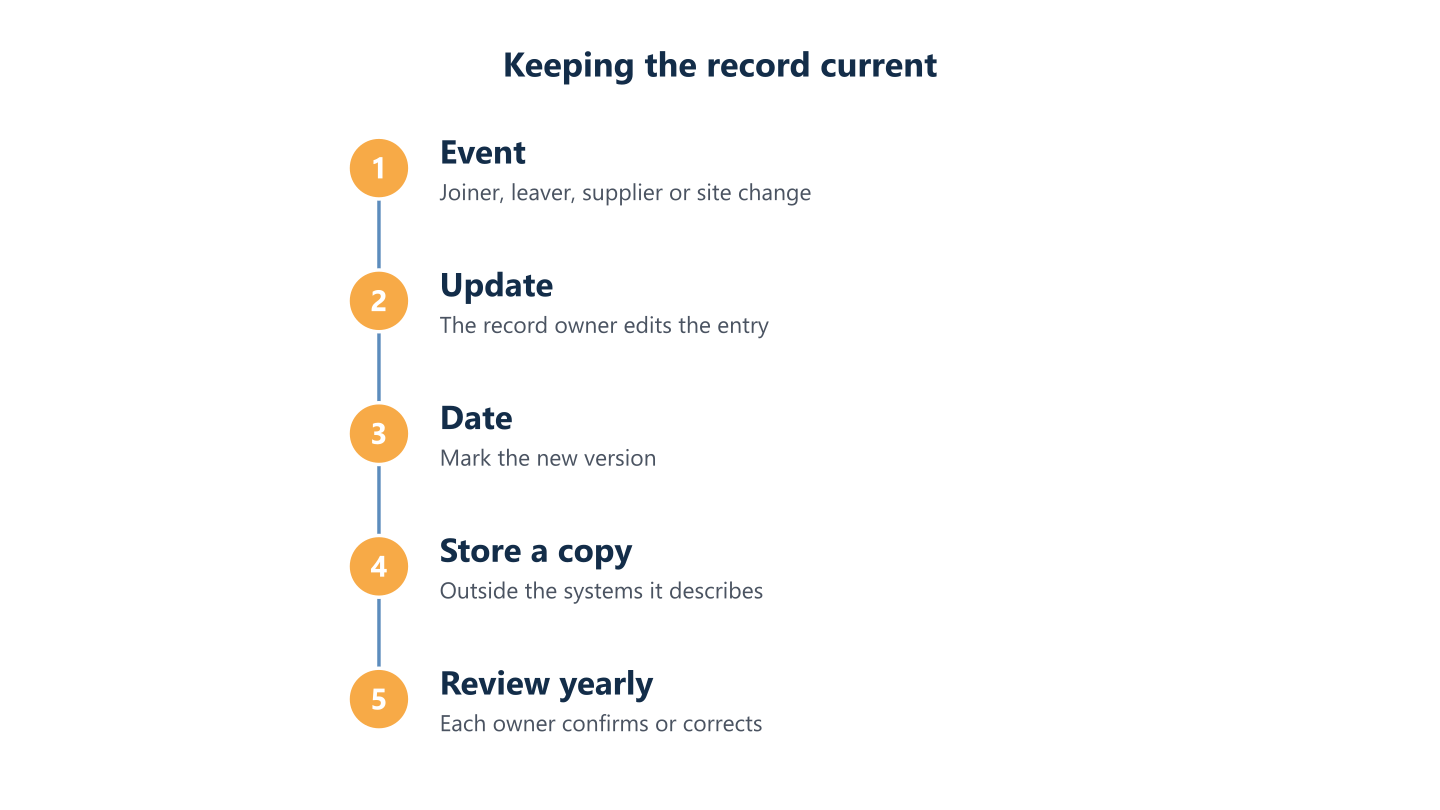
Read the steps as text
An event happens, the owner updates the record, the version is dated, a copy is stored outside your systems, yearly review
Handover: what to take when a provider leaves or IT comes in-house
Documentation matters most at the exit, because that is when information is lost. Before a provider leaves, or before you bring IT in-house, work through this list:
- Confirm that administration accounts and licences are in the organisation’s name.
- Collect the current documentation in a format you can open without the provider’s own tool.
- Compare it with the inventory taken from the devices and correct any gaps.
- Agree and record who removes which access, and when.
- Ask what is running that nobody has written down.
If you move to another provider, a cooperative handover is far easier when the first four items already exist. At BlueNova IT we cooperate in the handover to the next provider.
Start small. This week, find out who holds your domain registration and who administers your main cloud tenant, write both down and store the note outside your own systems. Next, build the six records one at a time, give each an owner and put the yearly review in the calendar. If you would like to talk through your own situation, tell us about it through the contact form. We support organisations in English and Spanish, Monday to Friday, 09:00-18:00 CET, and scope is agreed per organisation.