
An IT outsourcing arrangement works best when the written agreement answers three questions before any work starts: what exactly is delegated and what is not (scope), who may access which systems and who owns the accounts, licences and data (access and ownership), and what happens to access, documentation and data when the arrangement ends (exit). Everything else, from how requests are raised to how often you review the work, supports those three. This is general information, not legal advice.
An outsourced IT arrangement can begin informally: a proposal, a few emails and a handshake. That works until the person who agreed the details leaves, a request turns out not to be covered, or the arrangement ends and nobody knows who holds the administrator accounts. This guide covers the written points that prevent those problems. If you are still deciding whether to outsource, start with our guide to IT outsourcing vs in-house IT; to compare fees and proposals, see the managed IT services pricing guide. Here we deal with the documents themselves.
Questions about this guide? Talk it through with us
Why put an outsourcing arrangement in writing?
Written terms are what either side can point to when a question arises about whether something is in or out, who may do what, or who holds a login. Memory and goodwill are fragile: they depend on the people who made the original agreement still being there. Writing it down is also cheap before work begins and awkward to repair afterwards.
Agreement, scope and working notes: what goes where
Outsourcing paperwork usually has three layers, even when they sit in one document. Keeping them apart makes each one easier to review and to update.
| Layer | What it typically holds | Who should review it |
|---|---|---|
| Agreement (terms and conditions) | Parties, fees, term and renewal, liability, confidentiality, data protection, termination | Management and your legal adviser |
| Scope and limits | Tasks included, tasks that stay with you, how requests are raised, hours and languages, exclusions | The person who owns IT for you, plus management |
| Working notes | Support channel, named contacts, reporting rhythm, review dates, who approves what | The people who raise IT requests |
The labels differ between providers. A "master services agreement" usually sets general terms for the whole relationship, while a "managed services agreement" or "statement of work" describes the service itself. Judge a document by what it contains, not by its title.
What this guide cannot decide for you
Liability limits, notice periods, minimum terms, fees on early exit and governing law are legal and commercial terms that depend on your situation and country. This guide lists the questions to ask, not the answers to accept. BlueNova IT does not give legal advice, so have your own adviser review the legal wording before you sign with any provider.
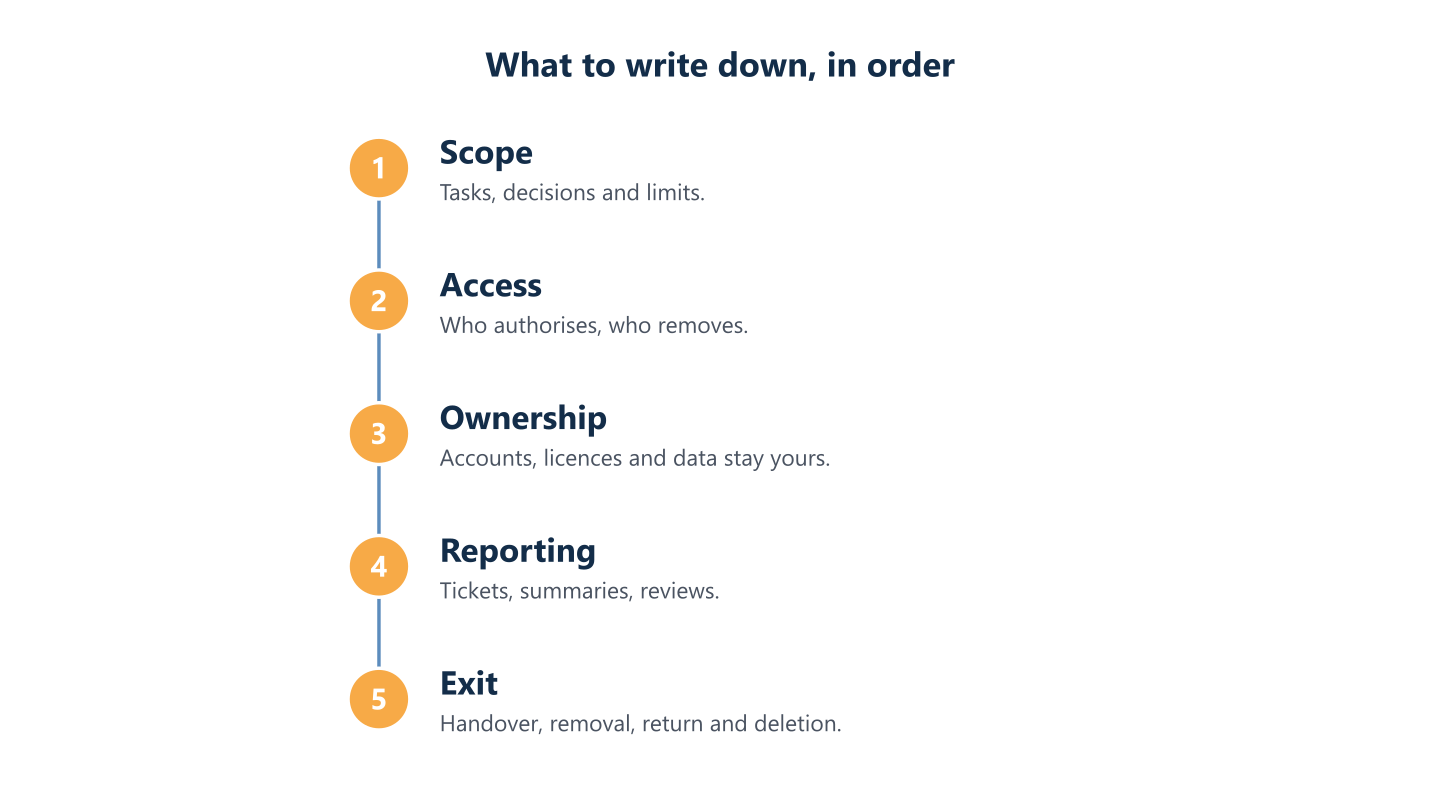
Read the steps as text
Scope, access, ownership, reporting and exit
Scope: what is delegated and what stays with you
A vague scope creates friction in outsourced arrangements: one side assumes a request is included, the other assumes it is extra. Spend your effort here first.
A list of tasks and decisions
Start from a list of tasks and decisions, not a list of technologies. Write down the tasks that move outside your team, the systems they touch and the decisions around them, and mark what stays with your own people. Creating a user account is a task that is easy to hand over. Who may ask for it, and who approves it, is a decision, and if nobody has written it down the external team ends up guessing or waiting.
A list that names both lets each request be routed without a discussion every time. It can also be revisited later, so the arrangement can grow or shrink without anyone relying on memory.
Limits, exclusions and work outside scope
Put the limits in writing as well as the inclusions. Typical items to settle are:
- Hardware, licences and software purchases: included, or bought separately?
- Projects such as office moves or migrations: part of the routine scope, or quoted on their own?
- On-site visits: whether they are included, and how they are agreed.
- Systems the provider will not support, for example products that are out of vendor support.
- How a request outside the scope is raised, estimated and approved before work starts.
Our pricing guide explains how to check what each proposal assumed about your environment; the point here is that the answers end up in the document.
Hours, languages and channels
State when support is available and what is not covered, such as evenings and weekends, which languages are supported, and where requests go: a ticket system, a shared mailbox or a messaging channel. If a provider offers target response or resolution times, ask for them in writing together with how they are measured. If it does not offer them, the document should not imply that it does.
Other suppliers and subcontractors
List the other parties that touch the same systems: your internet provider, software vendors, an installer, a previous provider. Say who coordinates them. Also ask whether the provider may use subcontractors. The UK National Cyber Security Centre’s supply chain guidance suggests deciding whether suppliers may sub-contract and making sure they pass your security requirements down to any subcontractor.
Access and ownership: who holds what
Outsourcing changes who does the work, not who owns the systems. The paperwork should make that explicit, because ownership questions tend to appear at the worst moment: when the arrangement is ending.
Authorising access, and removing it
Each access the provider needs should be authorised in writing by a named person on your side, and the authorisation should say which access is needed and for what work. Keep one list of who has access to what, and agree that access given for a piece of work ends when the work does. The same discipline applies to your own staff, as our IT onboarding and offboarding checklist shows.
Removal is the step most often forgotten. Guidance from cybersecurity agencies in several countries notes that disabling provider accounts can be overlooked when a contract terminates.
Accounts, licences, domains and data in your name
Ask that administrator accounts are created or kept in your organisation’s name, not in the provider’s, and that the same applies to licences, subscriptions, domain registrations and the data held in your systems. A simple test is useful: if the provider stopped trading tomorrow, could you still sign in as owner and renew what you pay for? If the honest answer is no, write the correction into the arrangement now.
Security roles and personal data
Name who is responsible for each security task: patching, backups and restore tests, multi-factor authentication, reviewing alerts. The joint advisory on managed service providers from the cybersecurity authorities of several countries recommends that contracts transparently identify ownership of security roles and responsibilities.
Where the GDPR applies and the provider acts as your processor, Article 28 requires a binding written arrangement, including electronic form. It must address return or deletion of personal data when the processing service ends, at the controller’s choice, unless Union or Member State law requires storage. The EDPB guidelines on controllers and processors discuss how to set out those duties. Ask your adviser which requirements apply to your relationship.
Records, reporting and review
Outsourced work should leave a trail your own team can read without asking the provider. Agree the mechanisms at the start.
Shared tickets and one agreed channel
Use a request system that both sides can see, so nobody has to remember what was asked or search for a forwarded email. Agree one channel for requests and notices so the same request does not arrive by three routes.
Written summaries and scheduled reviews
Ask for a periodic written summary of what was done and what is pending, at a frequency you choose, and for reviews on set dates to adjust, extend or end the arrangement. A review on a calendar date means the relationship is examined when things are fine, not only when something goes wrong. The NCSC guidance also suggests renewing contracts at appropriate intervals and reassessing risks at the same time.
Changing the scope later
Decide now how the scope changes: who proposes, who approves, and where the updated list is kept. A change agreed in a chat message and never written into the scope is how the document and reality drift apart.
Exit: settle it before you start
Exit terms are easy to agree when the relationship is new and hard to negotiate when it is ending. If you may one day move to another provider, see our guide to changing IT provider and what to collect first for the practical sequence. Here are the points that belong in writing from the start.
Handover of documentation and knowledge
The documentation of your environment should belong to you and sit in a place you can always reach, not only on the provider’s systems. Ask that it is handed over up to date at the end, and that the provider cooperates with the next provider. Typical contents are the account list, a network overview, backup arrangements and supplier contacts.
Removing access, and recording it
Agree that access removal is planned, assigned and recorded: who removes what, by which date, and who confirms it. Include shared credentials, remote-management tools installed on devices, and any partner or delegated-admin relationship the provider holds in your cloud accounts.
Return and deletion of data and assets
The NCSC guidance says contracts should clearly set out requirements for the return and deletion of your information and assets by a supplier on termination or transfer. For personal data, the EDPB guidelines add that the processor should confirm deletion within an agreed timescale and manner. Ask what is returned, in which format, what is deleted and how you will be told it is done.
Notice, transition help and costs
These are questions, not recommendations: how much notice each side must give, whether there is a minimum term or a fee for leaving early, whether help during the transition is included or charged, and who bears the cost of exporting data. What is reasonable depends on the service and your country, so take these questions to your adviser together with the draft.
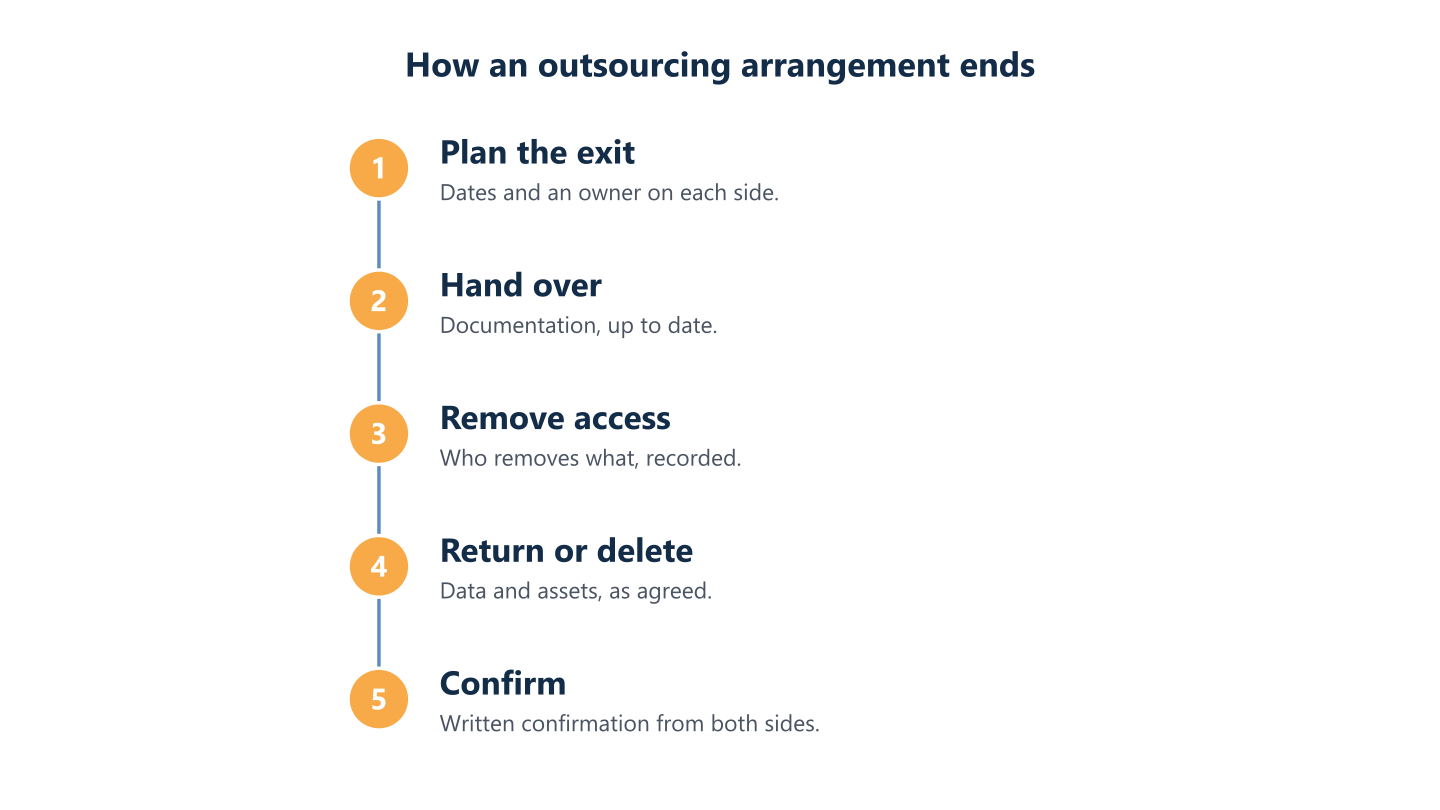
Read the steps as text
Plan, hand over documentation, remove access, return or delete data, confirm in writing
A checklist to take to the table
Before you sign, check that the paperwork answers each of these questions in plain words:
- Which tasks are delegated, and which stay with your team?
- Who may ask for changes, and who approves them?
- What is excluded, and how is work outside scope raised and approved?
- Which hours and languages apply, and how are requests raised?
- Who authorises each access, and how is the list of access kept?
- Are administrator accounts, licences, domains and data in your name?
- Who is responsible for patching, backups, restore tests and multi-factor authentication?
- What records and reviews will you receive, and how often?
- What is handed over at the end, and how are access removal and data deletion confirmed?
- Has your adviser reviewed the legal terms: liability, notice, fees, personal data?
How BlueNova IT approaches these points
For outsourced work, BlueNova IT writes down the scope and its limits before work begins, together with a list of the tasks and decisions that stay with your team. Accounts, licences and data stay yours, and we state that in writing. Requests go through shared tickets and an agreed channel, with a periodic written summary and a scheduled review. When an engagement ends, we hand over the documentation of your environment up to date, and access removal is agreed and recorded, including who removes what. Our Working with BlueNova IT page describes this in more detail, and the IT outsourcing service page sets out what we do. We provide support Monday to Friday, 09:00 to 18:00 CET, in English and Spanish, and not outside those hours. Contract terms are agreed with each organisation and are not described in this guide.
Before you talk to any provider, write one page: the tasks you want to delegate, the decisions you keep, the accounts and data that must stay yours, and what you expect at the end. That page improves every proposal you receive, and it gives your adviser something concrete to review. If you would like to talk through how to define the scope for your organisation, use the contact form and tell us about your team and your systems.