
When you change IT provider, collect things in this order: first the administrator accounts and licences, in your organisation’s name, because control of them decides everything else; then the documentation of your environment; then the history of support tickets. Once the new arrangement works, close the outgoing provider’s access and record that you did. This is a checklist for you as the client, whichever provider you move to. It is general information, not legal advice, and it does not say what your own contract requires.
The tempting order is the reverse. Ticket history feels like the natural thing to ask for, documentation is next, and accounts and licences come last because they seem like details. In practice a handover goes smoothly when you hold the keys and stalls when you do not. This guide is written for owners and managers of small and midsize organisations with little or no in-house IT, who often change provider without a technical person on their side. If you are still weighing up whether to move, our guide to IT outsourcing vs in-house IT may help first, and what to put in writing with an IT provider covers the agreement you will sign next.
Questions about this guide? Talk it through with us
What to settle before you ask for anything
A few decisions on your side make every later request easier. They are quick to make, and they stop the handover from depending on whoever happens to be available that week.
One owner and one list of services
Name one person in your organisation who accepts the handover and can resolve questions about scope, timing and cost. Then write one list of the services involved: email and collaboration, devices, network and Wi-Fi, backup, security tools, website and domains, business applications, telephony. For each, record who manages it now, who will manage it next and the date responsibility changes. Give both providers the same list.
Read what your current agreement says
Before you send any request, read your existing agreement for its end date, notice requirements, handover duties and what it says about returning data. This guide cannot tell you what yours requires, and the answers differ between contracts and countries, so take questions to your own adviser. Do not assume that notice or handover help is included or free; check.
Ask in writing and keep it factual
Send one dated, written request that lists what you need, in the order below, and names a contact on your side. A neutral tone helps: an outgoing provider is more likely to cooperate, and a clear list is easier to answer than a series of urgent messages. If a request is refused or delayed, the written trail is what your adviser will want to see.
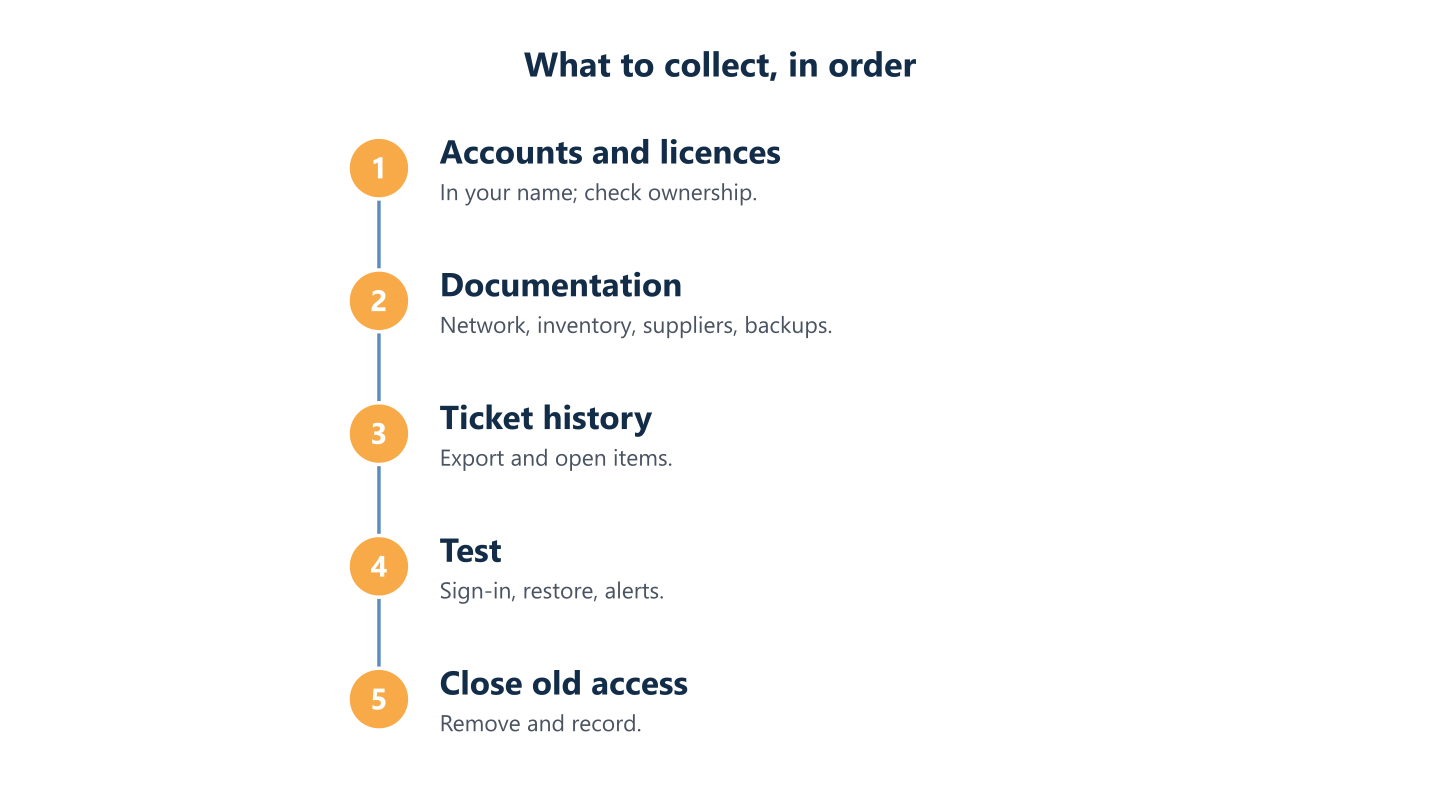
Read the steps as text
Accounts and licences, documentation, ticket history, test, close old access
Step 1: administrator accounts and licences in your name
Ask for these first. If you hold the administrator accounts and the licences, you can onboard a new provider, reset access and decide what happens next. If you do not, every other step depends on the goodwill and the schedule of the outgoing provider.
Which accounts to list first
Start with services that other systems depend on, then work outward:
- Your Microsoft 365 or Google Workspace tenant and its administrator roles.
- Your domain registration and DNS, which direct website and email traffic.
- Firewall, router and Wi-Fi controller administration.
- The backup console and the location of your backups.
- Endpoint protection and device-management consoles.
- Your password manager, if the provider set one up.
- Internet line and telephony portals, and software vendor accounts.
Licences and subscriptions: who is the customer?
For each licence or subscription, record the product, quantity, renewal date, who pays, and whether you bought it directly or through the provider as a reseller. Licences bought through the provider can need a transfer process to move, so ask the provider how that works and how long it takes before anything is cancelled. For domain names, the registrant should be your organisation. ICANN’s information for registrants notes that you are entitled to information from your registrar on how to manage and transfer a domain.
Check ownership, not only logins
Being able to sign in is not the same as owning the account. For each important platform, ask which organisation holds it, who can approve a change of administrator, and where recovery emails and phone numbers go. Make sure you hold an emergency administrator account for each critical platform, kept securely, used rarely and tested. Do not pass administrator passwords around by email or chat.
If the outgoing provider holds delegated administrator roles (granular delegated admin privileges, or GDAP) in your Microsoft 365 tenant, you can see and remove them yourself: Microsoft explains how a customer removes a partner’s delegated roles on the Partner relationships page of the Microsoft 365 admin centre. In a planned transition, agree when each delegated role ends and remove it when it is no longer needed. Review subscription and reseller arrangements separately.
Step 2: documentation of your environment
With control secured, ask for the documentation. It lets the new team run what exists instead of rediscovering it.
What to ask for
Ask for whatever exists, in an editable format:
- A network overview and a list of your sites.
- An inventory of devices and users, and the account and licence lists from step 1.
- Supplier and contact details: internet providers, software vendors, installers.
- Backup arrangements, retention, and the result of the latest restore test.
- Standing procedures: how new starters and leavers are handled, patching windows, who approves what.
- Known issues, open projects and anything promised but not finished.
Check it against reality
Documentation is only as good as its last update. A new provider will typically run its own discovery rather than rely on the old documents alone, for example by comparing the devices that actually report to its management tools with the inventory it received. Differences are normal; list them and decide who closes each one.
Move credentials by a secure route
If credentials must change hands, use a secure channel such as a password manager that you control, and change them once the handover is accepted. A spreadsheet of passwords in an email is not documentation.
Step 3: ticket history
Ticket history comes third in this collection order. It provides useful context, but it should not delay securing accounts, licences and operating documentation. Flag active incidents and unresolved changes early so they are included in the handover plan.
What it tells you
A history of tickets shows recurring problems, past decisions and exceptions that nobody wrote down: the user who needs a special setting, the application that fails after every update, the supplier that is slow to respond. Reviewing it helps the new team start with the problems that actually cost you time.
What to request and in which format
Ask for an export of closed tickets with dates, requester, category and resolution, plus a list of open tickets. A spreadsheet or PDF is usually enough. Ask who owns the data held in the ticketing system and whether you can take your history with you; our help desk guide lists these among the questions to ask any provider. Tickets can contain personal data, so transfer them securely and delete copies you do not need.
Turn open items into a list
From the export and the known issues, make one list of unfinished work, with an owner and a date for each item. Anything without an owner at handover tends to become nobody’s problem.
Running the handover without a gap
Changing provider is a project, not a switch. A little structure keeps the business working while responsibility moves.
Start in phases
Avoid changing everything on one day. A sensible pattern is to take over everyday support first and planned maintenance afterwards, with a date for each service when responsibility changes. Agree who answers requests during any overlap. Schedule around busy periods such as month-end or payroll, and agree in advance what would make you pause or reverse a step.
Test before you release the old provider
Before the outgoing provider is released, check that you can sign in as owner to each critical platform, that a restore from backup works under the new arrangement, and that alerts and tickets reach the new team. Record what you checked and the date.
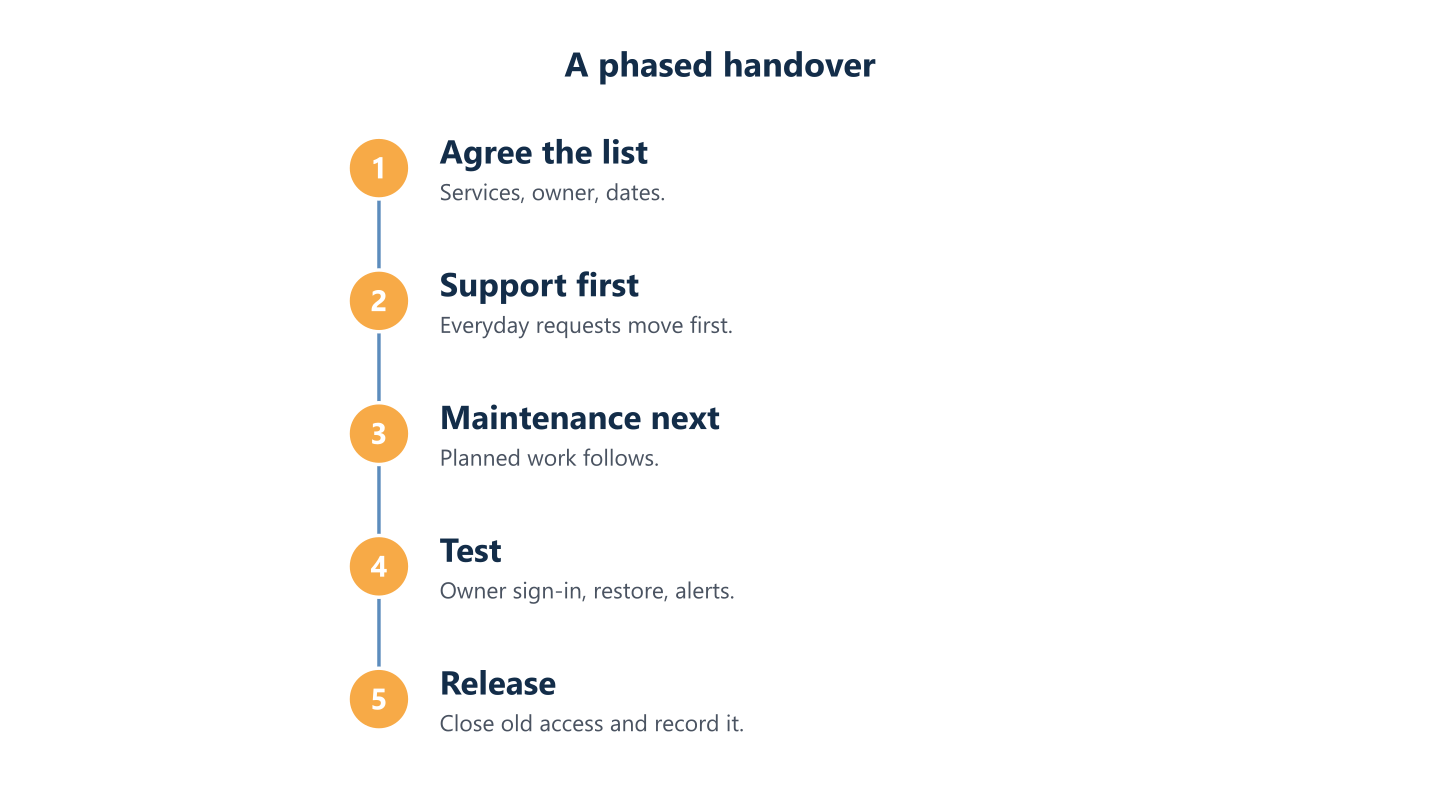
Read the steps as text
Agree list and owner, take over support, take over maintenance, test, release the old provider
Closing the old provider’s access
Treat access removal as a planned part of accepting each service. This checklist assumes a routine, agreed handover: do not keep unnecessary access active while waiting for unrelated paperwork. If access is suspected to be compromised, involve the responsible security team and agree protective action immediately. Cybersecurity agencies from several countries note that disabling a provider’s accounts can be overlooked when a contract terminates.
Remove access and record who removed what
Work through a list: provider user accounts and administrator roles, delegated partner relationships in your cloud tenants, VPN accounts, remote-management software installed on devices, API keys and shared mailboxes, and contact details registered with suppliers. Change shared credentials. For each item write down who removed it and when. Our onboarding and offboarding checklist applies the same idea to staff.
Data, final invoices and confirmation
Ask the outgoing provider to confirm in writing what it returned and what it deleted. Where it acts as your processor under the GDPR, Article 28 addresses return or deletion at your choice after the processing services end, unless Union or Member State law requires storage. The EDPB guidance explains how to agree and confirm deletion; have your adviser review any retention exception. Cancel recurring subscriptions only once replacements are running, and update supplier contacts so alerts reach the new team.
Common snags and how to handle them
Four problems come up often:
- Licences bought through the old provider. They may need a formal transfer. Ask early and keep them active until the replacement is confirmed.
- Domains or accounts registered in the provider’s name. Ask for them to be transferred to your organisation, using the registrar’s or vendor’s own process.
- Undocumented systems. Treat discovery as part of the project and budget time for it.
- A reluctant outgoing provider. Keep requests written, specific and dated, refer to your agreement, and involve your adviser if a request is refused.
How BlueNova IT fits
When BlueNova IT takes over from a previous provider, that is handled as a handover from the previous provider within a phased onboarding, which starts with discovery and documentation of your environment and an inventory collected from the devices. Administration accounts are created or kept in your name, not in BlueNova IT’s, and the documentation belongs to you and is kept in a space you can always access. Each access is authorised by you in writing. The first conversation involves your decision-maker and, where you have one, your IT lead, and we do not ask for passwords at that stage. See Working with BlueNova IT for how an engagement runs, and our IT outsourcing page for the service. The checklist above works with any provider, including if you later leave us: we hand over the documentation of your environment up to date, access removal is agreed and recorded, and we cooperate in the handover. Support is available Monday to Friday, 09:00 to 18:00 CET, in English and Spanish.
The order is the point: accounts and licences in your name, then documentation, then ticket history, then closing the old access. Write the list of services and the owner before you send the first request, and keep every request dated. If you would like to talk through a change of provider for your organisation, use the contact form and tell us who looks after your IT today and what you have in hand.