
A security audit reviews your overall security posture and controls, a vulnerability scan automatically looks for known weaknesses, and a penetration test is a controlled attempt to break into specific systems to prove what an attacker could reach. Which one you need depends on the question you are asking, and they are often used in sequence.
The three are routinely bought, sold and confused as if they were one product. A small company asks for "a pen test" when it really needs to know whether its basics are in place, or accepts a scan report as proof that the network is safe. Both mistakes spend money and leave real gaps. This guide separates the three activities, compares them side by side and explains how to choose between them, in what order to use them and how to prepare. It is written for owners and managers of small and midsize organisations, including those without a full in-house IT team, who need to commission or evaluate this work rather than carry it out.
Questions about this guide? Talk it through with us
What are a security audit, a vulnerability scan and a penetration test?
Three labels, three different questions. Suppliers use the words loosely, so the definition in a proposal matters more than the name on its cover. The table gives the plain-language version before the sections below go deeper.
| Criterion | Security audit | Vulnerability scan | Penetration test |
|---|---|---|---|
| Main question | Are the right controls and processes in place? | Which known weaknesses exist on these systems? | Can an attacker get in, and how far? |
| Method | Review of documents, settings and access, plus interviews | Automated tool checking systems against known issues | Human-led attempt to exploit weaknesses in agreed targets |
| Coverage | Broad, across policies, people and technology | Broad across systems, shallow on each | Narrow, deep on chosen targets |
| Typical output | Gaps against controls, with priorities | List of detected issues to review | Demonstrated attack paths with evidence of impact |
| Who usually does it | Internal or external reviewer | IT team or provider using a scanning tool | Usually a specialist testing firm |
| Typical trigger | You want to know where you stand, or a customer asks for evidence | Routine checks and after significant changes | Before a launch, or to test real impact |
Security audit: a review of posture and controls
A security audit is a structured review of policies, configurations, access and controls, and it reports where you stand and where the gaps are. Typical questions are practical ones. Who has administrator rights, and do they still need them? Is multi-factor authentication switched on for email and remote access? Are backups tested, and kept apart from the main systems? Are leavers removed from every system? Is there a written plan for handling an incident? The reviewer usually reads documents, inspects settings and talks to the people who run the systems. The result is a broad picture of which controls exist, which are weak and which are missing. An audit does not normally try to break in, so it shows whether the foundations are sound rather than whether one specific system can be forced.
Vulnerability scan: an automated search for known weaknesses
A vulnerability scan is typically an automated check of systems for known weaknesses and missing updates, with the findings listed for people to review. A tool compares what it finds, such as operating system versions, installed software, open services and settings, against a database of publicly known issues. Because it is automated, it can cover many devices and be repeated, so results can be compared over time. This is what a vulnerability assessment usually means in practice. Scans come in two common forms. An unauthenticated scan looks at a system from outside, as an anonymous visitor would. An authenticated scan uses a login to look inside, which typically finds more issues with fewer guesses. Scans can also run externally, against what is exposed to the internet, or internally, from within the network.
Penetration test: a controlled attempt to break in
A penetration test is a controlled, authorised attempt by specialists to exploit weaknesses in chosen targets, to show the real impact. Penetration testing explained simply: the tester behaves like an attacker within agreed rules, perhaps chaining a weak password, an exposed service and an over-generous account to reach data that no single issue would have exposed. The targets are chosen in advance, for example a customer-facing web application, the external network or a set of staff laptops, and the testers work within agreed limits on method and timing. The output is evidence of which routes worked, what was reached and what to fix first. Because the work is manual and focused, it covers fewer systems than a scan but goes much deeper on the ones it does cover.
Why the terms get mixed up
The terms get mixed up for three reasons. First, they overlap in practice: an audit may use a scan as one input, and a penetration test usually starts with a vulnerability assessment phase before anything is exploited. Second, suppliers sell combined packages under labels such as vulnerability assessment and penetration testing (VAPT), which can mean a scan plus a limited manual test, or a full test that begins with a scan. Third, "security audit" is stretched to cover everything from a formal compliance check to a scan report with a cover page. Whatever the label, ask the provider to state in a few sentences what will be examined, how, by whom and what you will receive. If the answer describes a scan sold as a test, you want to know before you agree.
What is the difference between a vulnerability scan and a penetration test?
The difference between a vulnerability scan and a penetration test is that scanning finds and lists, while penetration testing proves and demonstrates. The sequence below shows where each result comes from and what you can do with it.
- A scanning tool checks many systems against a database of known issues and produces a list of possible weaknesses.
- Someone from your IT side or a provider reviews that list and removes duplicates and obvious false alarms.
- The remaining issues are ranked by what they would expose, not only by the severity label the tool assigns.
- A penetration tester takes chosen targets and tries to exploit weaknesses, including flaws no scanner can see, such as a web application mishandling its own business rules.
- The tester documents what worked, step by step, with evidence of what was reached.
- You fix the findings and repeat the relevant check to confirm the problem is closed.
The risk is treating step one as if it were step four. A scan report can leave a company believing it has been tested when nobody has tried to use a single weakness. Penetration testing is usually carried out by specialist testing firms, and BlueNova IT does not offer penetration testing, so you should not assume it from anything else we describe in this guide.
Automated detection versus human-led exploitation
A scan is usually automated and broad, so it can be repeated and compared over time; a penetration test is usually human-led and focused on chosen targets. Automation is what makes scanning practical across laptops, servers, firewalls and cloud services: the same checks run the same way each time, so you can see what is new since the last run. Human judgement is what makes a test valuable. A person notices that a harmless-looking page exposes customer records, or that two minor issues combine into a serious one. Tools cannot reason about your business, and testers cannot economically check every device. Many organisations therefore use both, at different frequencies, with the right rhythm depending on how often the environment changes and how sensitive the systems are.
Why a scan result is a list, not proof
A scan reports possible issues, including some that turn out not to matter; a penetration test tries to exploit issues, which helps separate real risk from noise. A scanner may flag a missing update on a machine that nothing can reach, or report a weakness that another control already blocks. It may also miss problems it has no check for, such as a flaw in how an application handles business rules. A long list therefore does not mean a company is badly protected, and a short one does not mean it is safe. Treat the report as a to-do list that still needs a person to judge what is reachable, what holds sensitive data and what can wait. Exploitation is what shows which findings are genuinely dangerous.
Disruption, authorisation and false positives
A penetration test needs written permission and careful planning because it can affect live systems; a scan is generally less intrusive but still needs to be agreed. Testing systems you do not own, or that a third party hosts, without permission can breach contracts or the law, and cloud and hosting providers often set their own rules. Agree in writing which systems are in scope and which are not, the test window, who to call if something stops working and how any data seen during testing will be handled. Even a scan can slow an older device or trigger alerts from your security tools, so tell the people who will see them. Finally, expect false positives and ask who will review them before the report reaches you.
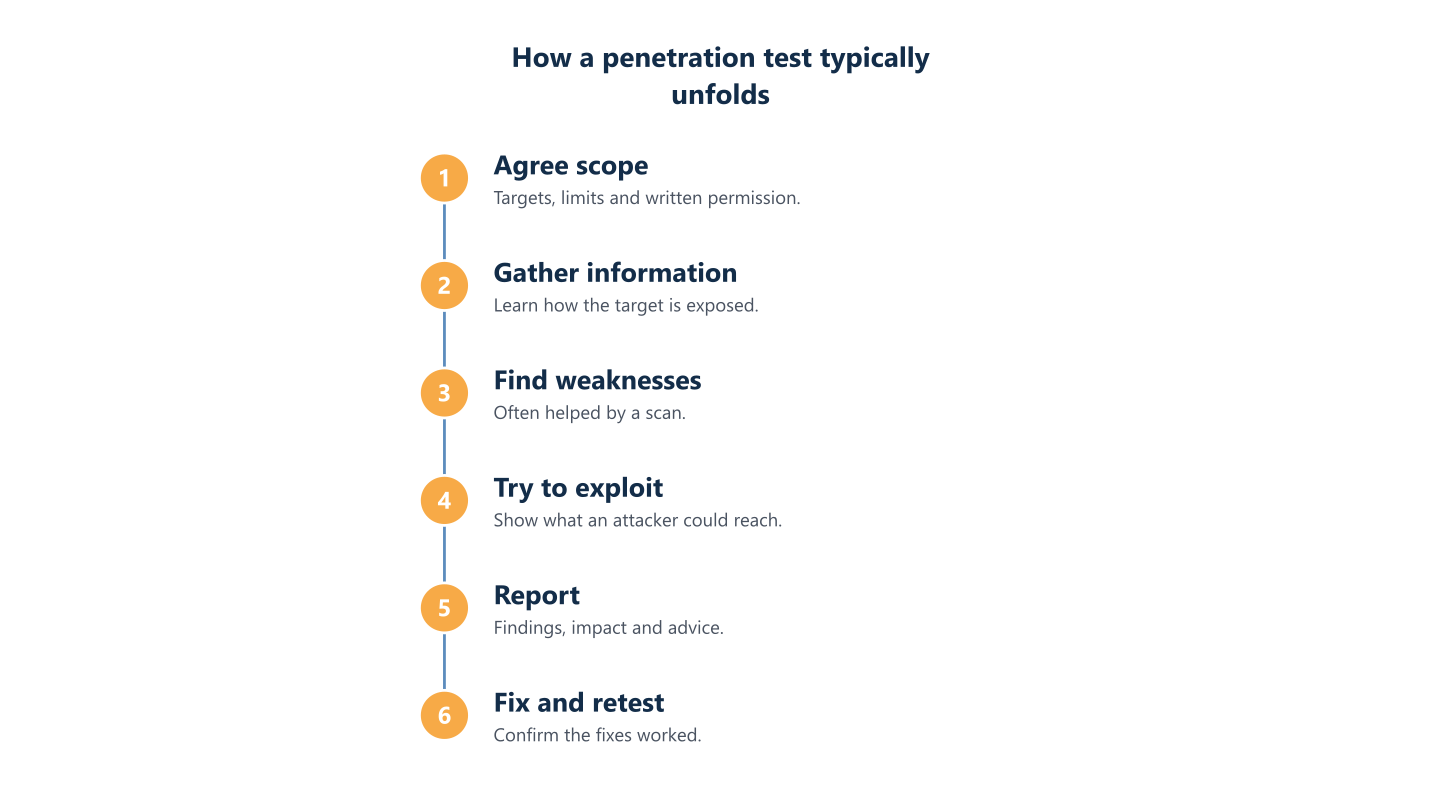
Read the steps as text
Agree scope, gather information, find weaknesses, try to exploit, report, fix and retest
How is a security audit different from a scan or a pen test?
A security audit is about breadth and controls, while scans and pen tests are technical checks of systems. The word "audit" is also used for several different things, from a risk review to a check against a formal requirement, so look for these signals in what you are offered:
- Method: interviews, document requests and settings reviews point to an audit; tools and attack technique point to a scan or a test.
- Scope wording: processes, departments and policies suggest an audit; IP addresses, applications and URLs suggest a scan or a test.
- Output: a gap list against controls is an audit, a list of detected issues is a scan, and a narrative of attack paths is a test.
- Reference point: a checklist or customer questionnaire means the audit is measured against a requirement; no reference point usually means a risk-based review.
- Exploitation: if nothing is exploited, it is not a penetration test, whatever the cover page says.
BlueNova IT offers cybersecurity services, with scope agreed for each organisation, as described on our cybersecurity service page. It is not a formal audit, a certification or a compliance attestation.
Breadth versus depth
An audit asks whether the right controls are in place across the organisation; a pen test asks whether a particular door can be forced and how far an intruder could get. Think of an office building. The audit walks every floor and checks who holds keys, whether the doors have locks and whether the alarm is ever tested. A scan checks each door and window against a list of known faulty models. The penetration test picks one entrance and tries to reach the safe. Each view finds things the others miss. An audit can reveal that nobody reviews administrator accounts, which no tool will report. A test can show that a control that looks fine on paper can be bypassed.
What an audit looks at
Audits often rely on reviewing documents, settings and access, and on talking to the people who run the systems, rather than on attacking them. Typical evidence includes user and permission lists, device and update inventories, backup and restore records, firewall and email settings, supplier arrangements and written procedures for new starters and leavers. The reviewer compares what is written with what is actually configured, and what people say they do with what the records show. Gaps between those three are often the most useful findings. An IT security audit for SMEs is frequently the first sensible step, because it shows which basics are missing before money goes into deeper technical testing.
Audit for assurance or audit for insight
Some audits report against an external requirement, while others are a risk-based review to help you decide what to fix first; confirm which one is being offered. An assurance audit states whether requirements are met, usually for a customer, insurer or regulator, and is often carried out by a party independent of the systems reviewed. An insight audit is a working document: it ranks the gaps by risk to your business and feeds a plan. They are not interchangeable. A risk review does not give you a formal attestation, and an assurance report may say little about what to fix first. If a customer contract drives the request, ask exactly what evidence they accept. Our guide on how to choose cybersecurity services lists questions worth asking any provider.
Common types of security audit
Five types of security audit come up most often. A risk-based review looks across the whole IT environment and ranks gaps by business impact. A compliance or framework audit measures you against a formal requirement and reports whether it is met. A technical configuration audit examines specific systems, such as servers, firewalls or Microsoft 365 settings. An access and identity audit reviews accounts, permissions, multi-factor authentication and leaver handling. A supplier audit looks at how partners that touch your data protect it. Providers name and combine these differently, so judge an offer by what is examined and what you receive, not by its label.
Which one does your company need?
Start from the question, not from the service name. Most small-company decisions come down to three questions, and the sections below take the common situations in turn.
Where do we stand? That is an audit or risk review. Which known weaknesses exist? That is a scan. Can this system actually be broken into? That is a penetration test.
These are starting points, not rules. The age of your systems, how much of your IT is outsourced and what data you hold all change the answer, and at any given moment many companies need only one of the three. Also think about who will act on the result: a scan list is of little use if nobody applies updates, and a test report is wasted if its findings have no owner. If a regulation or a customer questionnaire is what triggered the question, note that this guide is general information, not legal or compliance advice, and BlueNova IT does not certify or guarantee anyone’s compliance. For the first steps under one such regulation, see our NIS2 guide for SMEs.
You do not know where you stand
If you do not know where you stand, an audit or risk-led review is usually the better first step, because it gives you a map to prioritise from. Typical signs are that nobody can say how many devices and accounts the company has, the person who set things up has left, the business has grown through acquisitions or remote hiring, or backups have never been restored as a test. In those cases a scan will produce a long list for systems nobody has inventoried, and a penetration test will spend its limited time on obvious basics. A broad review shows which assets matter, which controls are missing and which questions deserve a technical check, so later scans and tests point at the right targets.
A specific system is going live or has changed
If a specific application, website or network is about to launch or has changed significantly, a penetration test of that target can be worth considering. Examples include a new customer portal, a booking or payment flow, a rebuilt office network or a migration to a different cloud platform. The question is narrow and concrete: can someone abuse this particular system? A scan beforehand is still sensible, because it clears known issues and lets testers spend their time on subtler problems. Leave time to fix findings before the date you have promised to customers, since a report that arrives the day before launch forces a choice between delay and accepted risk. Test the version that will actually go live, not an early draft.
A customer, insurer or regulation asks for evidence
If a customer, insurer or regulator asks for evidence, check exactly what they ask for before choosing, since the wording often points to one of the three. A request for security policies, controls or a completed questionnaire points towards an audit or review. A request for regular vulnerability scanning means scans with records you can show. A request for an independent penetration test means a specialist firm and a report you can share. Ask the requester what they accept, whether a summary is enough and whether the provider must be independent. Do not buy a test to answer a request that only needs a documented review; the reverse mistake is just as common. For legal or contractual obligations, take advice from your own advisers. If the request comes from a customer covered by NIS2, see our guide to NIS2 supplier requirements.
You want routine checks between reviews
Between larger reviews, routine scanning shows what has changed. New devices appear, software ages, and a firewall rule added for a quick fix is never removed. Regular scans, with each result compared to the previous run, reveal this drift early and leave a record you can show to customers. They work best when someone owns the output: a named person or provider who reads the list, filters false positives and schedules the fixes. How often depends on how fast your environment changes and how much of it faces the internet, so avoid copying a calendar from someone else. Pair scans with periodic reviews of accounts and permissions, because that is where automated tools see the least.
How do the three work together?
None of the three replaces the others, because each answers a different question and feeds the next. The audit shows which areas deserve attention, the scan finds known weaknesses across them, and the penetration test checks whether the most exposed or valuable targets can be broken in practice. Used together they reduce waste: technical work is aimed where the review says the risk sits, and what testing reveals feeds back into the next review. The real value arrives after the report, in the fixes and in the decisions about what to accept. If your in-house IT team is already stretched, BlueNova IT can work alongside it through co-managed IT, with responsibilities agreed for each organisation; our guide to co-managed IT, managed IT and break-fix compares the models. Recovery planning belongs in the same conversation. If a test shows an attacker could encrypt your data, whether you can restore it becomes a concrete question, so confirm that your backups have been tested too.
A sensible order
A common order is to review posture first, scan for known weaknesses next, and test the riskiest targets last, so deeper work is spent where it matters. The review sets priorities and exposes basic gaps, such as missing multi-factor authentication, that should be closed before anything else. The scan then covers the wider estate and clears known issues, including those the review pointed to. Only then does a penetration test make sense, aimed at the few systems that hold the most sensitive data or face the internet. Testing earlier is possible but often wasteful, because testers report issues you could have found and fixed yourself. Treat this order as a default: a launch date or a customer demand can justify starting with the test.
How often to repeat them
How often to repeat each one depends on how fast your systems change, what you handle and what others expect of you, so avoid fixed schedules. The logic is more useful than a calendar. Scans are relatively easy to repeat, so they follow the pace of change, and a new internet-facing system is a reason to scan sooner. Reviews follow organisational change, such as a new office, a merger, a new supplier handling your data or a change of IT provider. Penetration tests follow significant changes to a specific target, a major release or the discovery that something was exposed. A date alone is a weak trigger; a change in the environment is a better one. Write the triggers down so the decision does not depend on one person’s memory.
What happens after the report
A report only reduces risk once someone owns the fixes, so agree who will act on findings and how you will check that the fixes worked. Before the work starts, decide who receives the report, who sets priorities, who applies changes and how a decision to accept a risk is recorded. Findings usually split into quick fixes, changes that need planning and issues that depend on third parties such as software suppliers. Track them in one list with a named owner for each. Ask the provider whether a retest of the fixed items is available, because confirming that a problem is closed is separate from the original finding. Give management a plain-language summary rather than a raw tool export.
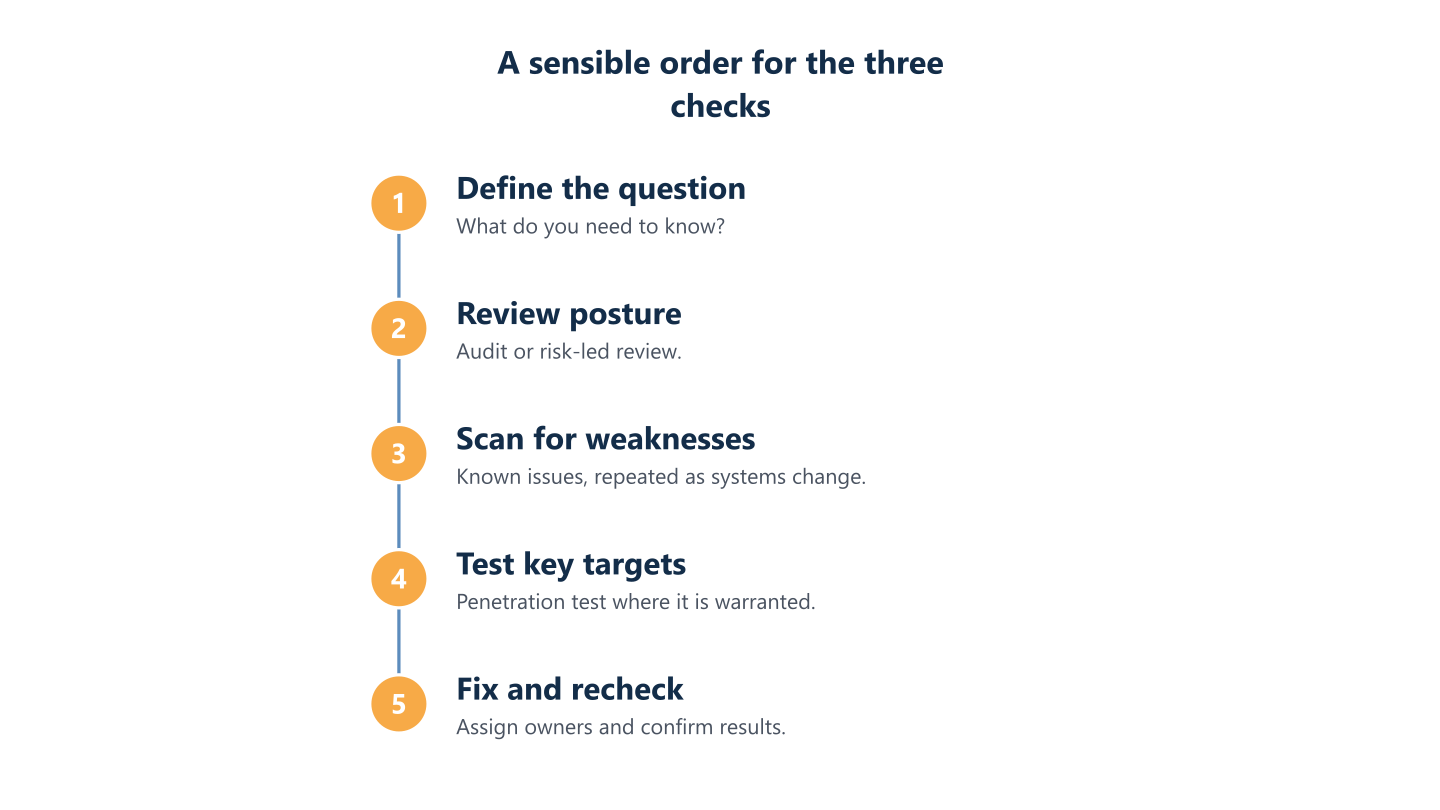
Read the steps as text
Define the question, review posture, scan for weaknesses, test key targets, fix and recheck
How to prepare and choose a provider
Preparation decides how useful the result is. Work through these steps before you request quotes, so that proposals can be compared like for like.
- Write down the question you want answered in a single sentence.
- List the systems, sites, applications and accounts in scope, and state what is explicitly out.
- Name an internal owner who can authorise access and answer technical questions.
- Ask each provider to define in writing what is automated, what is manual and who does the work.
- Confirm authorisation, confidentiality, data handling and the contact route if something is affected.
- Agree what the report will contain, who receives it and how fixes will be retested.
BlueNova IT can discuss your security needs, with scope agreed for each organisation. Support is available in English and Spanish, Monday to Friday, 09:00 to 18:00 CET. If a penetration test turns out to be the right next step, a specialist testing firm would carry it out, and we can help you decide what to ask for. We make no promise about outcomes: a review shows where the gaps are, and closing them is work that you and your providers do afterwards.
Agree the question and the scope
Write down the question you want answered, the systems in scope and any data or business processes that must not be disrupted. A good question is specific: "Can a stranger reach customer records through our web portal?" is more useful than "Are we secure?". List what is in scope, such as named domains, offices, cloud tenants or applications, and what is out, such as a production database that cannot be taken offline. Note the periods when testing would do harm, for instance month-end invoicing or a busy sales period. Include third parties: if a supplier hosts a system, they may need to give permission too. A one-page scope that both sides sign removes much of the room for misunderstanding.
Questions to ask any provider
Ask each provider to define in writing what is automated, what is manual, who does the work and what the report will contain. These further questions separate proposals that look alike:
- Who will actually carry out the work, and what experience do they have with systems like ours?
- Which tools and methods are used, and what is excluded?
- How are findings validated, so that false positives are removed before the report?
- Does the report give plain-language priorities as well as technical detail?
- Is a retest of fixed items available, and on what terms?
- How is our data stored, shared and deleted afterwards?
Authorisation, data handling and disruption
Confirm authorisation, confidentiality, data handling and what happens if something is affected during the work. Authorisation should be explicit, written and signed by someone entitled to give it, and where relevant extended to hosting or cloud providers. A confidentiality agreement should cover the findings themselves, because they are a map of your weak points. Ask where test data and the report are stored, who can access them and when they are deleted, and avoid sharing live customer data unless it is necessary and agreed. Agree a contact route and a stop condition: if a system slows or fails, who is called and how is testing paused? Check that backups of in-scope systems are current before the work begins.
Where a risk-led review fits
A risk-led review, from any provider, sits at the broad end. It looks at an IT environment as a whole, identifies where the greatest business risk lies and helps the organisation decide what to do first. It fits when the question is where you stand, or when you want to prepare before commissioning technical testing. It is not a penetration test, a formal audit or a compliance attestation, and it does not replace specialist testing for a system that needs it. A reasonable pattern is to use the review to define the question and the scope, hand the narrow technical work to a specialist, and bring the findings back so that fixes are prioritised against everything else on the list. Whoever you choose, ask what the review will cover and what you will receive in writing.
Before you approach any provider, write down the question you need answered: where do we stand, what known weaknesses exist, or can this system be broken into. Add the scope, the systems that must not be disrupted and the person who will act on the result. That one page improves a proposal more than any label does. Treat the audit, the scan and the penetration test as complementary steps rather than rivals: one gives you the map, one lists the known faults and one shows what an attacker could do with them. If you would like to talk through which question applies to your company, get in touch and we can go through it with you.